The work layer for fuel haulers
Between the TMS and the truck.
Dispatch plans the trip. ProTankr runs it, and the paperwork writes itself.
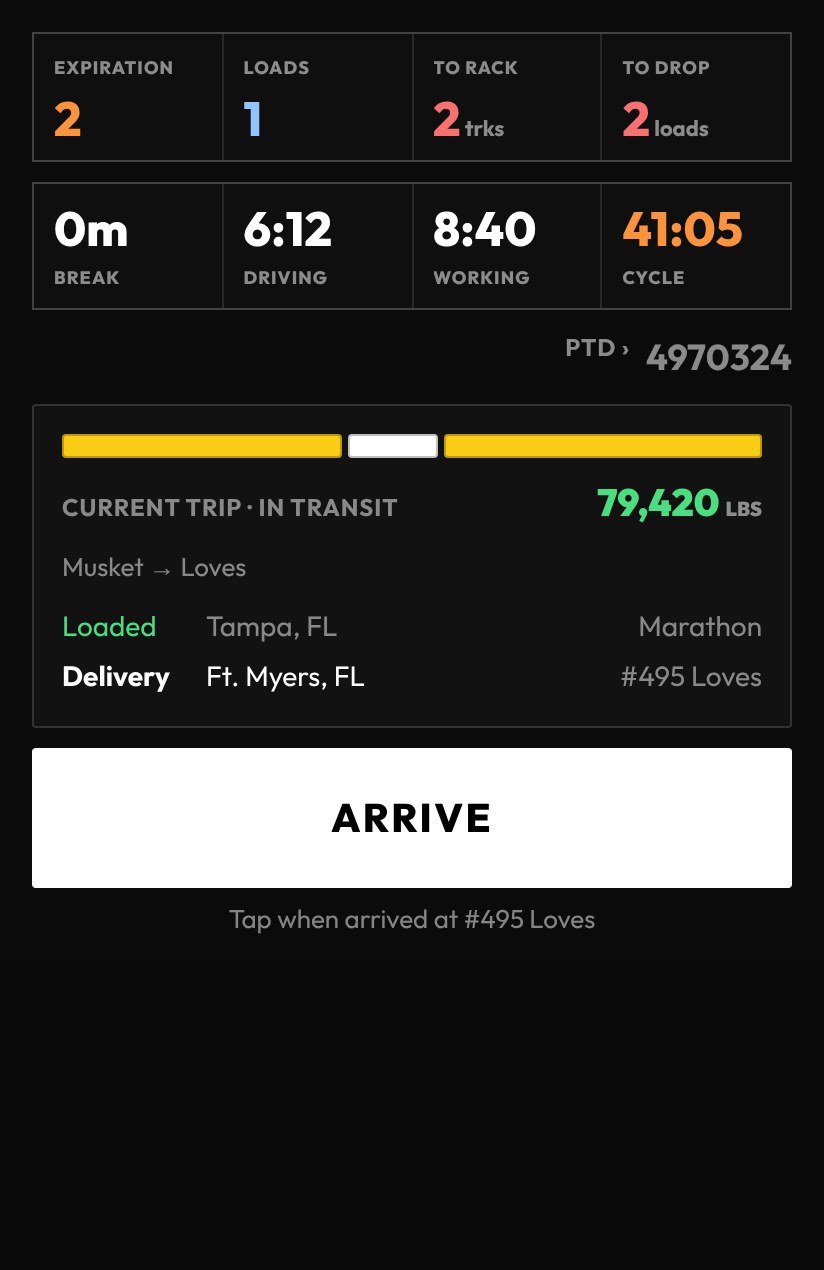
One app takes a driver from plan to rack to drop: the load plan, the arrival times, the BOL details, the tank readings, the signatures. Each one entered once, at the moment it happens.
Works alongside your TMS and your ELD. It replaces the clipboard, the separate scan app and the forms in between.
Your TMS knows the order. Nobody is recording the work.
A fuel haul is dozens of small facts: when the truck arrived, which rack, what the BOL says, what the tanks read before and after, who signed. Today they are scattered across paper, photos, scan apps, form links and text messages.
Somebody re-keys them. Somebody chases the missing ones. And the number that decides the load, how much the trailer can legally carry today, gets guessed at the rack.
ProTankr captures each fact once, in the cab, as the work happens. The records your office used to assemble afterward are simply there.
One trip, start to finish.
The same few taps a driver already makes to run a load are the whole system. There is no separate admin tool to remember and no end-of-day paperwork.
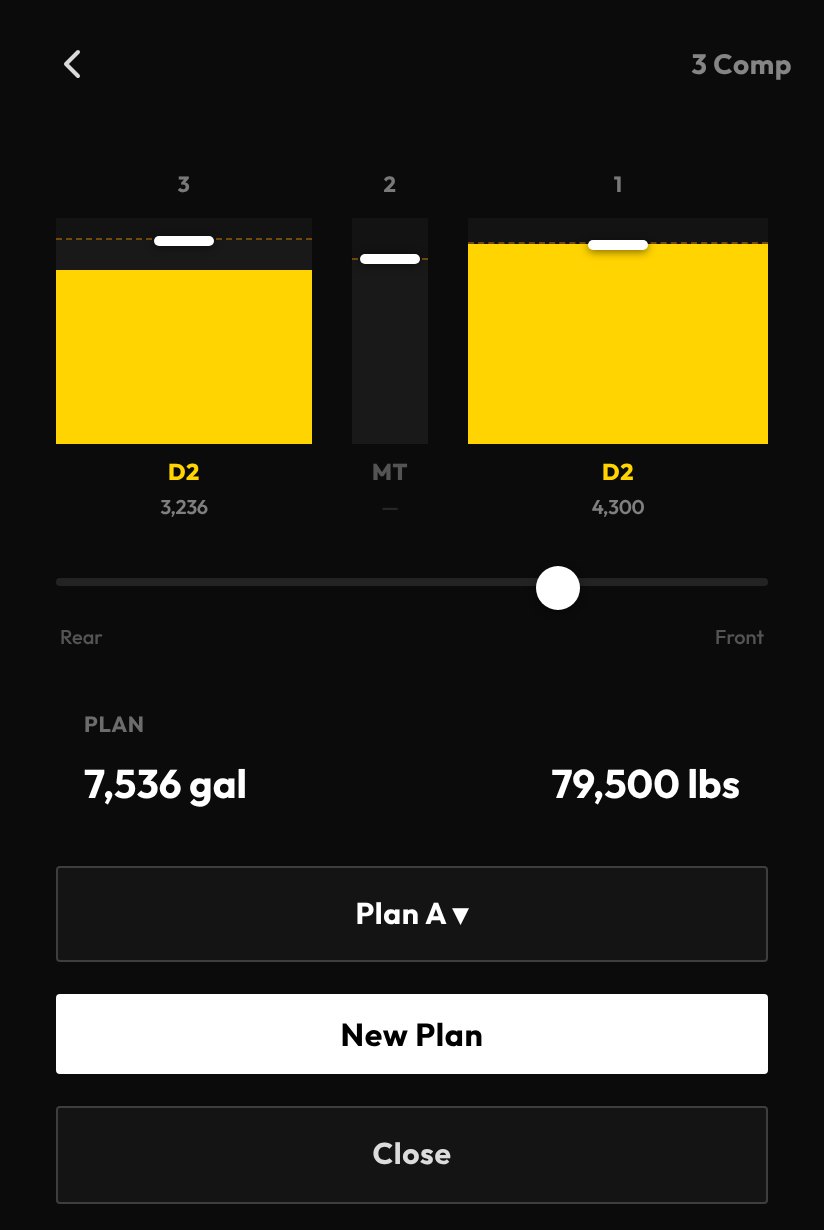
Dispatch builds the day, or the driver does. Compartments, products, supplier and order numbers are set before the truck moves, and the weight math is done for today's equipment and temperature.
Arrive, begin, finish. Times stamp themselves, API and temperature are checked against what other drivers saw at that rack, and BOL numbers are captured per product.
Match each compartment to a store tank, record before and after readings, collect the signatures. Delays get a reason as they happen, not a guess made later.
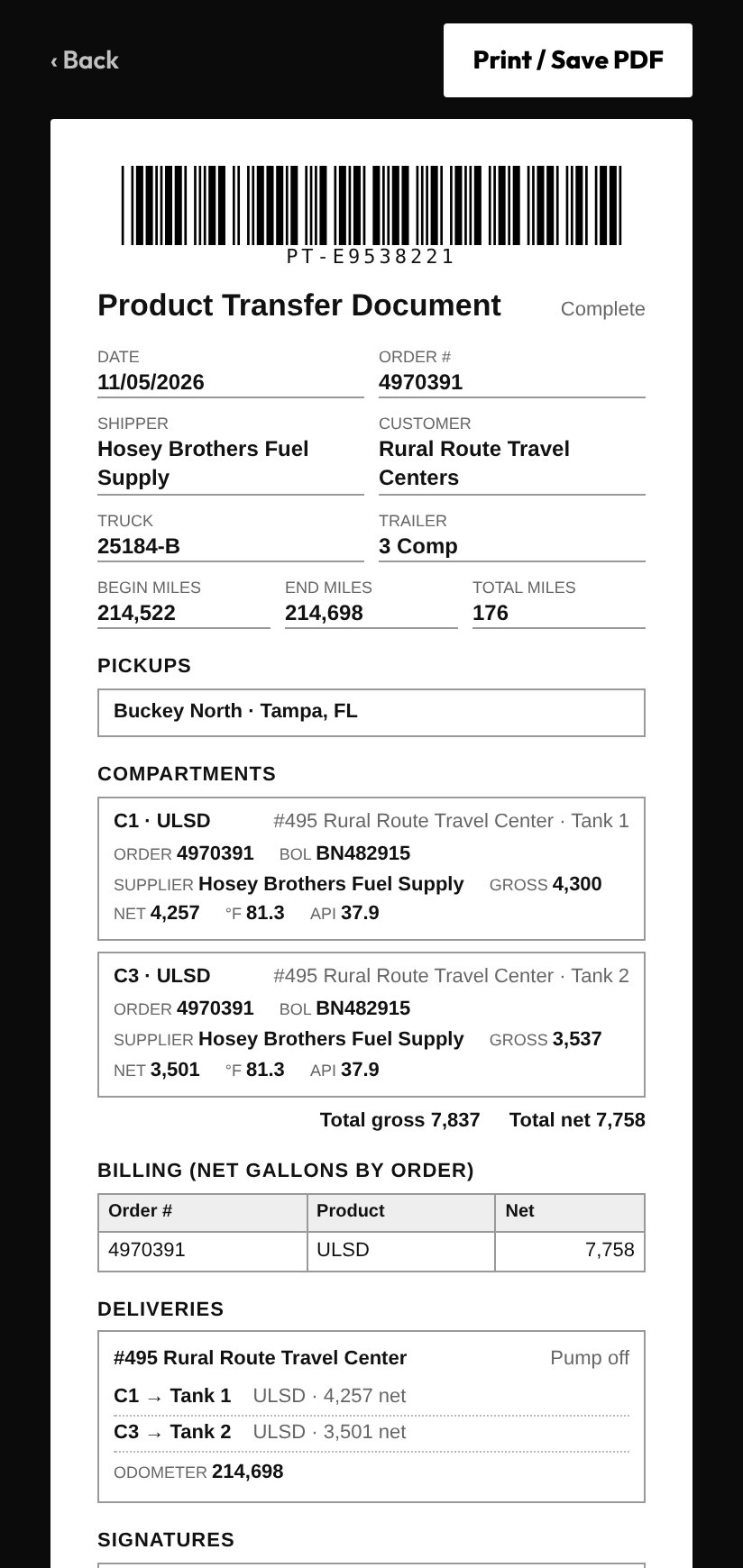
The Product Transfer Document, trip times, miles and the hours report are built from what was already captured. Nothing is typed twice.
What it replaces
Fewer apps. Fewer forms. No re-keying.
ProTankr does not ask you to give up your TMS. It takes over the small, manual jobs that grew up around it.
The terminal still issues the BOL. ProTankr captures its numbers per product at the rack, then builds the Product Transfer Document with times, tank readings and signatures.
Snap the marked-up BOL, a receipt or a scale ticket with your phone's own camera, inside the trip. Each photo files with the stop, delivery or record it belongs to, so the backup is captured as you go and the story is already assembled.
Fuel stops, delivery details, additives, issues and delay reasons are taps inside the trip, not separate form links to find and fill out.
Terminal conditions, hours, truck position and who is headed where are visible on the dashboard, instead of asked for by message.
Terminal access, credentials, equipment permits and service due roll up into one expiration view with one set of color rules.
Fuel stops, MPG and miles by state come from the same trip record. With a connected tracker, that is the raw material for your fuel tax return.
ProTankr is not an ELD. Hours shown in the app come from your existing ELD.
And the load plan is still the sharpest tool in the cab.
Three completed loads at the same terminal, three different product combinations. Each one calculated against the same legal limit, and each one landed within 76 lbs of the others.
Real completed loads from ProTankr. Actual weight is calculated from live API and temperature at the time of loading, not looked up after the fact.
Reports that write themselves.
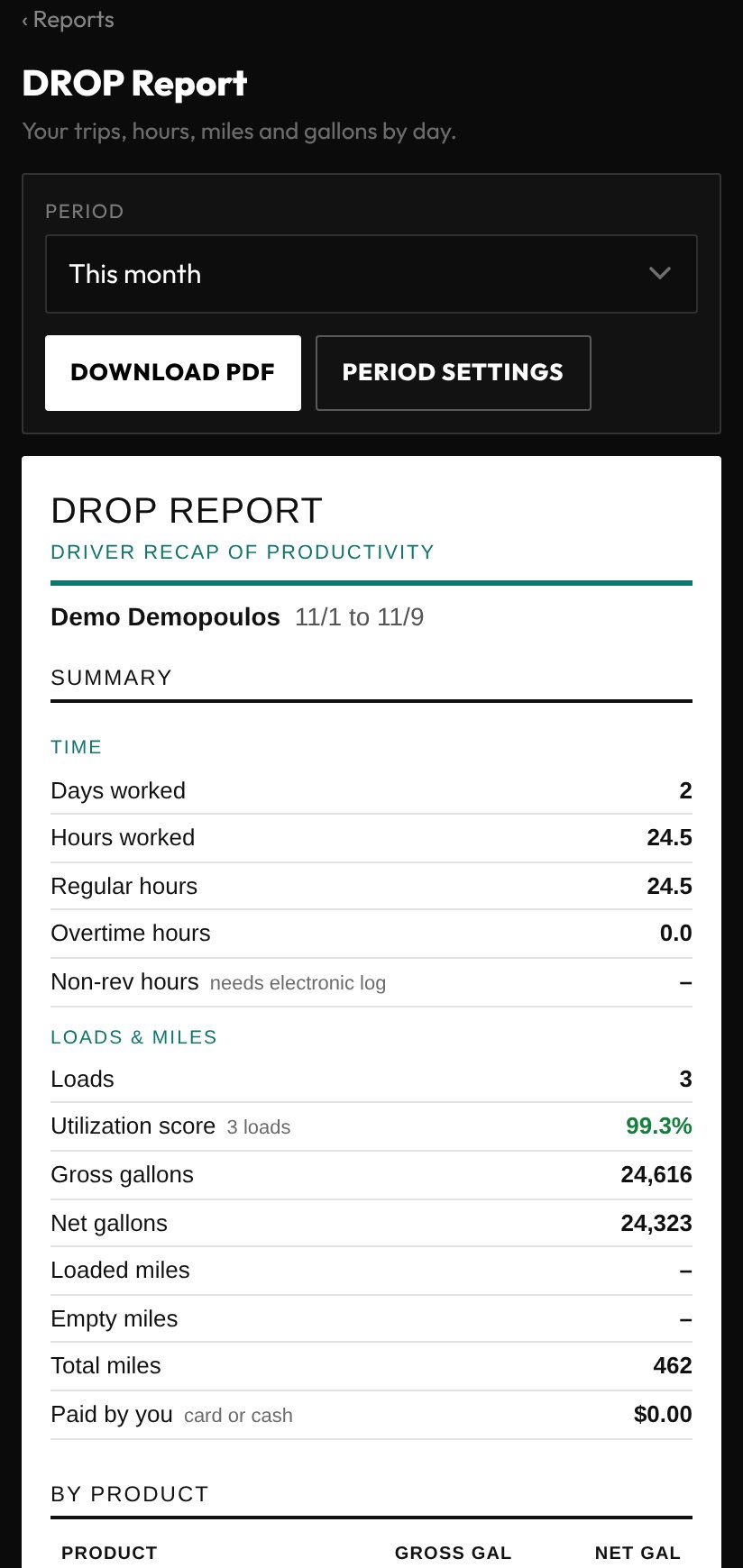
Because every fact was captured as it happened, the reports your office assembles by hand are already there when the driver finishes the last drop.
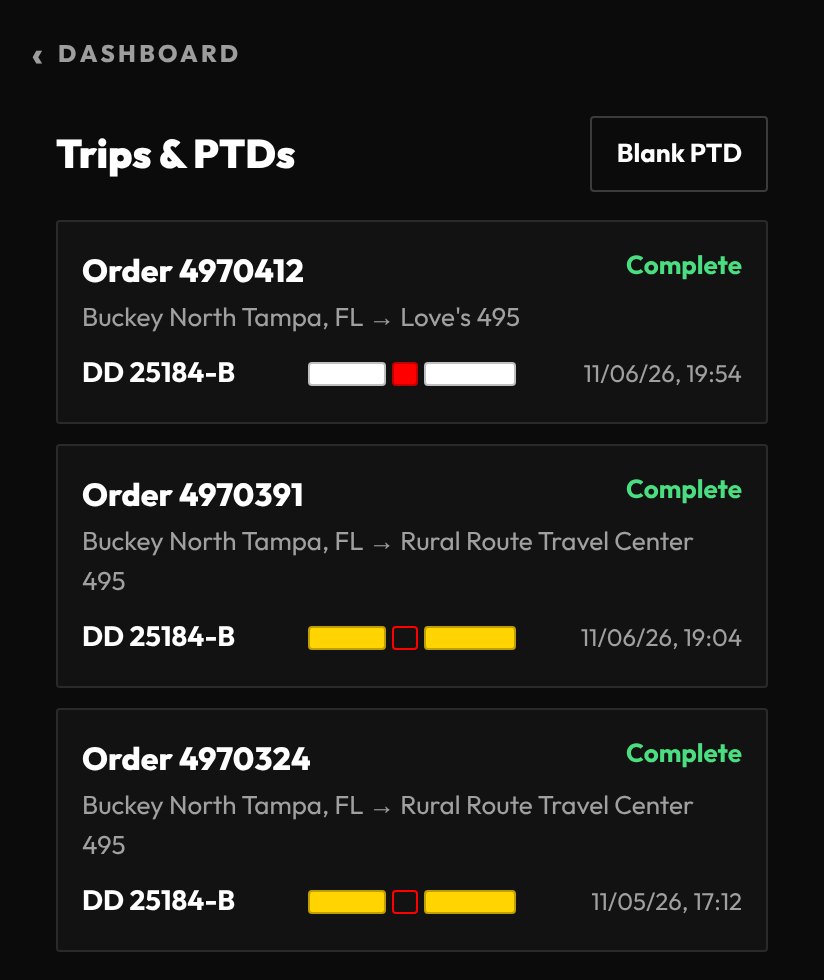
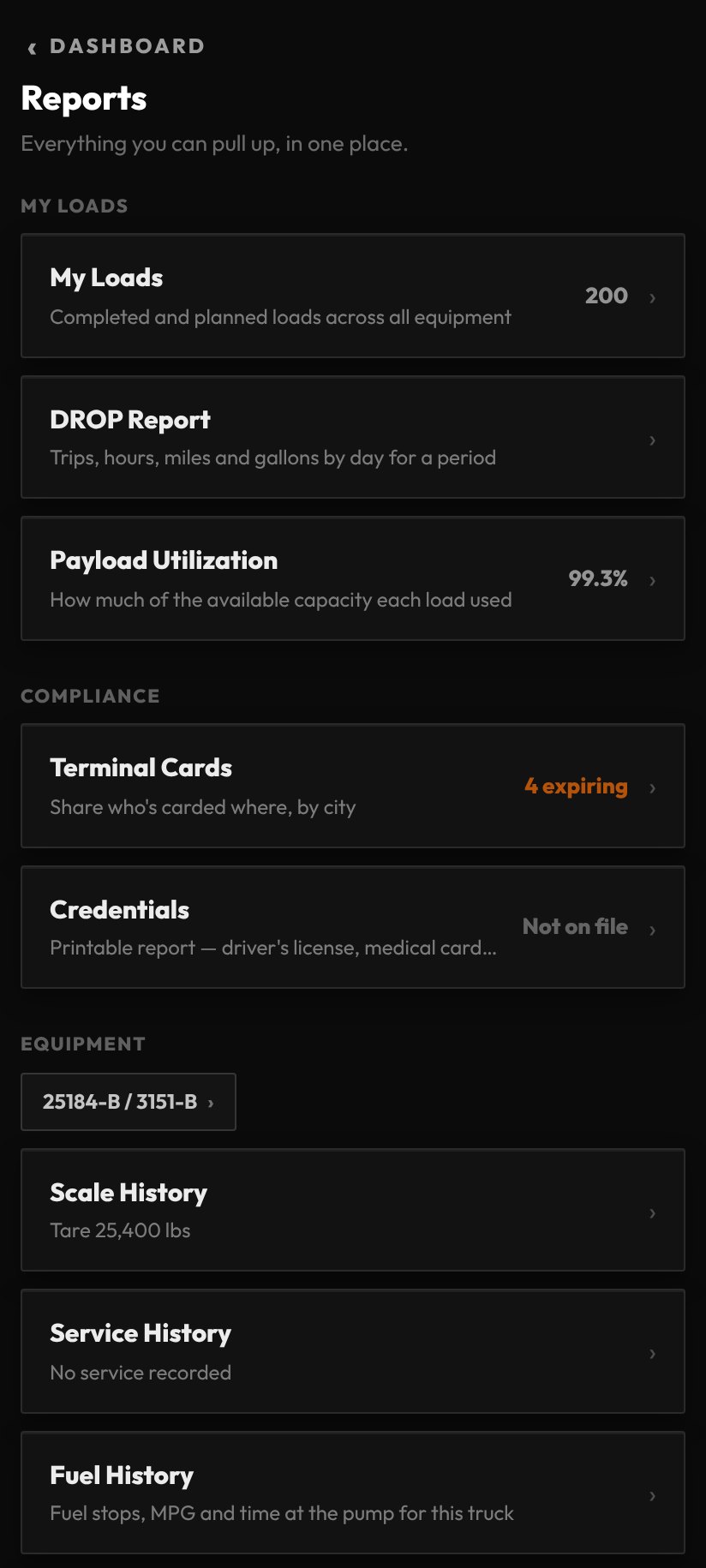
- •Trips & PTDsEvery completed trip, one tap to its Product Transfer Document. Print it or save a PDF.
- •DROP reportDays worked, hours, loads, gallons and miles for any period, ready to download.
- •Payload utilizationHow much of the available capacity each load used, measured the same way every time.
- •Equipment and complianceScale, service and fuel history by truck, plus terminal cards and credentials in one place.
The bridge, not another TMS.
Your TMS holds the order, the customer and the invoice. Your ELD holds the hours. Your dispatcher decides what to haul.
ProTankr is where the physical work gets done and recorded.
It sits beside the systems you already run and does not ask you to replace them. Where it can replace a clipboard, a separate scan app or a form, it does.
One system, two views
Built for the driver. Built for the fleet.
Same equipment records, same terminal data, same shared knowledge — organized around whoever's actually looking at it.
Shared knowledge
The driver in front of you already learned something.
A terminal that just ran out of a product. A verified API reading that corrects a stale prediction. Once one driver confirms it, the next one starts with better information instead of starting cold.
Premium 93
Marathon · Tampa, FL — Terminal Out of Premium 93, marked out at 08:14 hrs. Visible to every driver headed there, any company.
API reading verified
Chevron · Fort Lauderdale, FL — one confirmed load corrects the terminal's predicted temperature for everyone loading there today, not just the driver who reported it.
The model improves with verified load data. Every confirmed result can make the next load more informed — shared knowledge becomes operational infrastructure.
“I didn't start ProTankr because I wanted to build trucking software. I started it because I was tired of choosing between an overweight ticket and payload left on the table.”
“The event that caused it passes. The lower volume stays.”
Patent Pending
Early access