Built for the person behind the wheel
Run the trip. Skip the paperwork.
Everything gets entered once.
Whether you run company equipment or your own, ProTankr takes you from the load plan to the rack to the drop on one screen, and builds the Product Transfer Document, times and records from what you already tapped. Snap receipts and tickets right in the trip, so there is no separate scan app. No forms to chase.
- Load plan that fits today's conditions
- One screen for the whole trip
- Paperwork built as you go
- Cards, equipment & fuel in one place
The whole trip
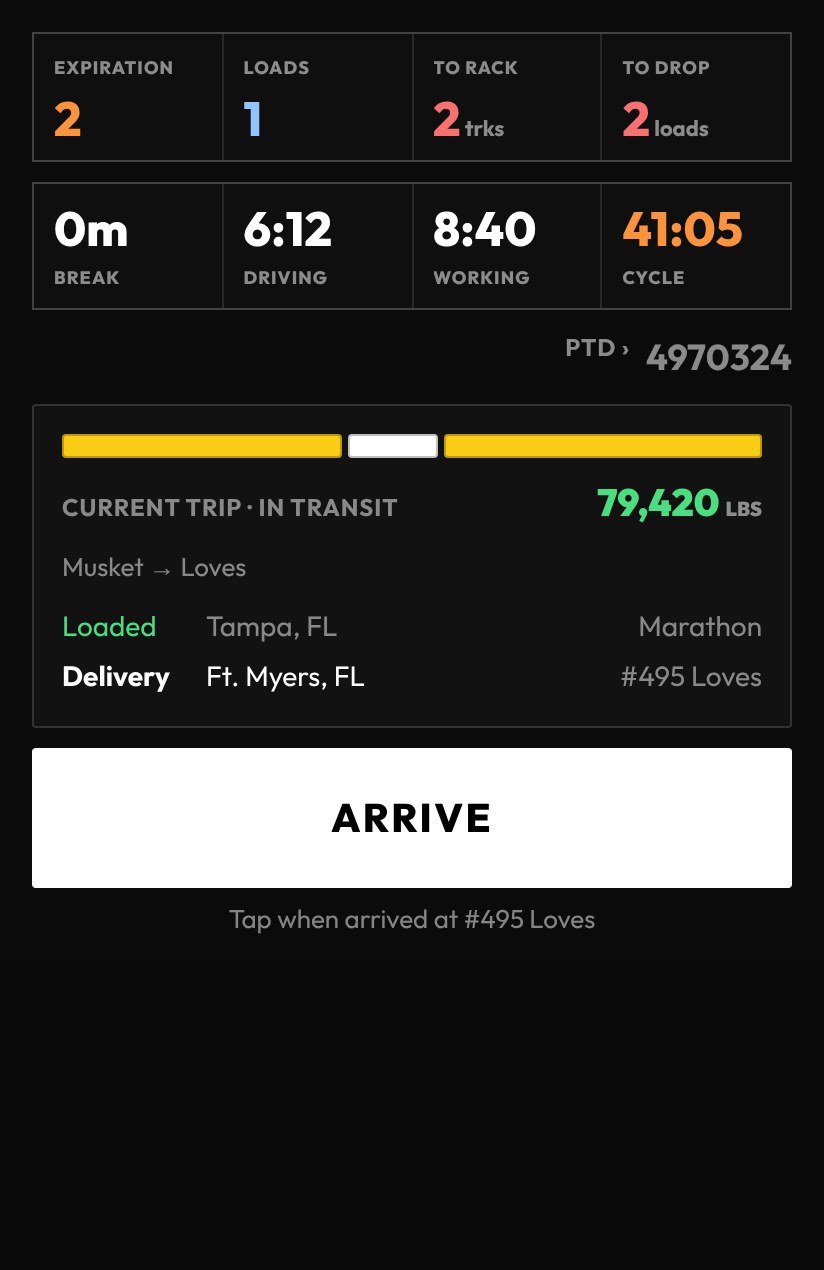
One screen. One big button.
Your hours, the trip, and the next step are all on the dashboard. Arrive, begin, finish. Times stamp themselves, BOL numbers and tank readings go in once, and the button always says what comes next, so you are not hunting through menus with a hose in your hand.
Hours shown come from your company's existing ELD. ProTankr is not an ELD.
Paperwork
The PTD writes itself.
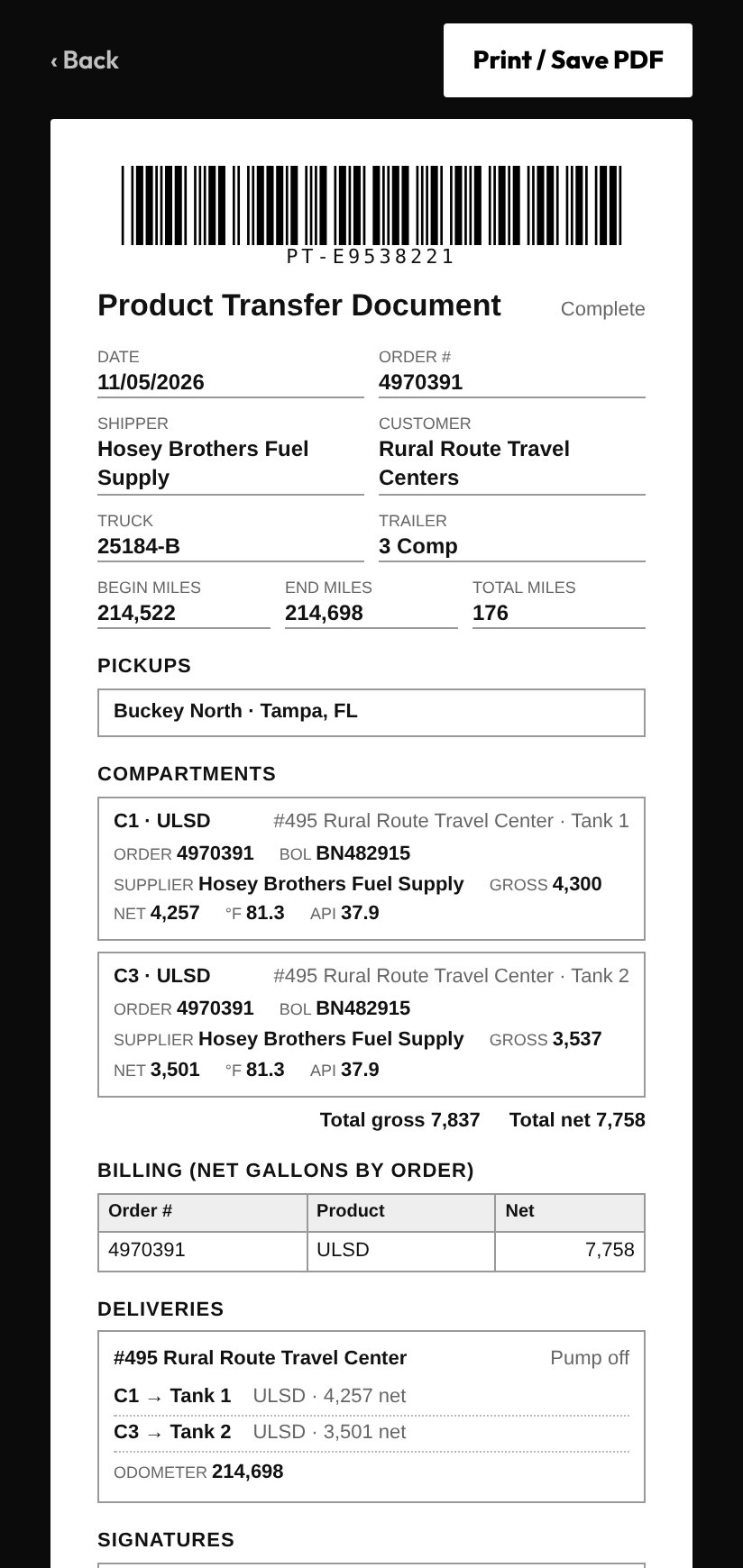
When the drop is done, the Product Transfer Document is already there: order, BOL numbers by compartment, times, miles, tank readings and signatures. Print it or save a PDF. The terminal still issues the BOL; ProTankr just captures its numbers so nobody has to copy them again.
Fuel stops, delays and delivery details ride along in the same record, so your DROP report and mileage are never a reconstruction at the end of the week. Snap fuel receipts, scale tickets and meter tickets with your phone's camera as you go. Each photo files with the stop or record it belongs to, so the backup is already attached.
The drop
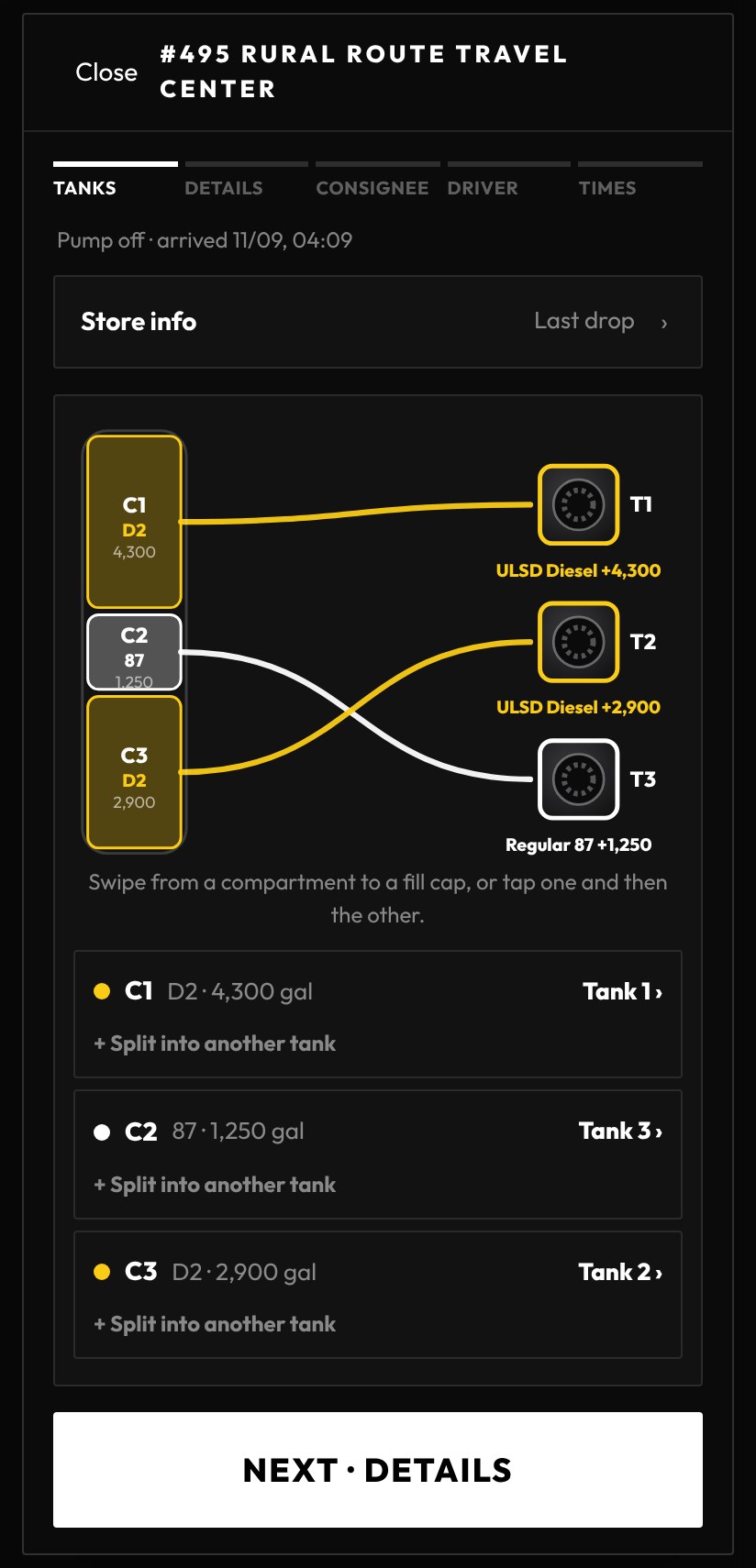
Swipe each compartment to its tank.
At the store, the trailer is on the left and the store's tanks are on the right. Swipe from a compartment to a tank, or tap one and then the other. Tanks holding a different product are dimmed so you cannot link the wrong one, and a compartment can be split across two tanks with gallons for each.
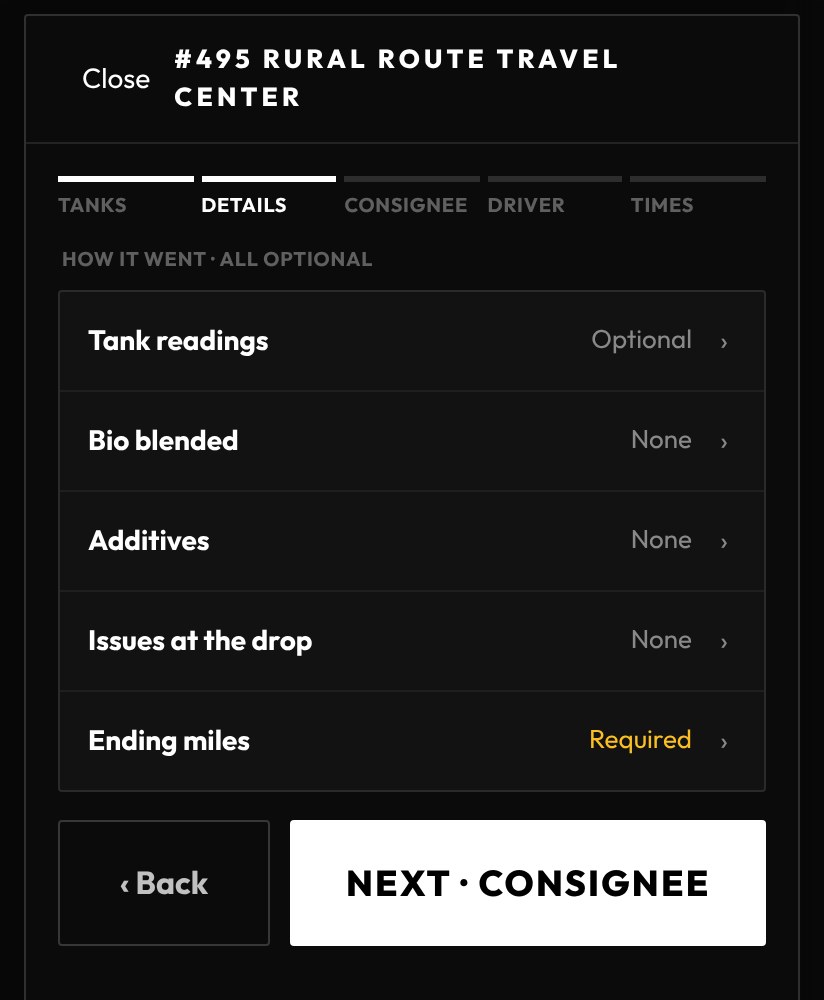
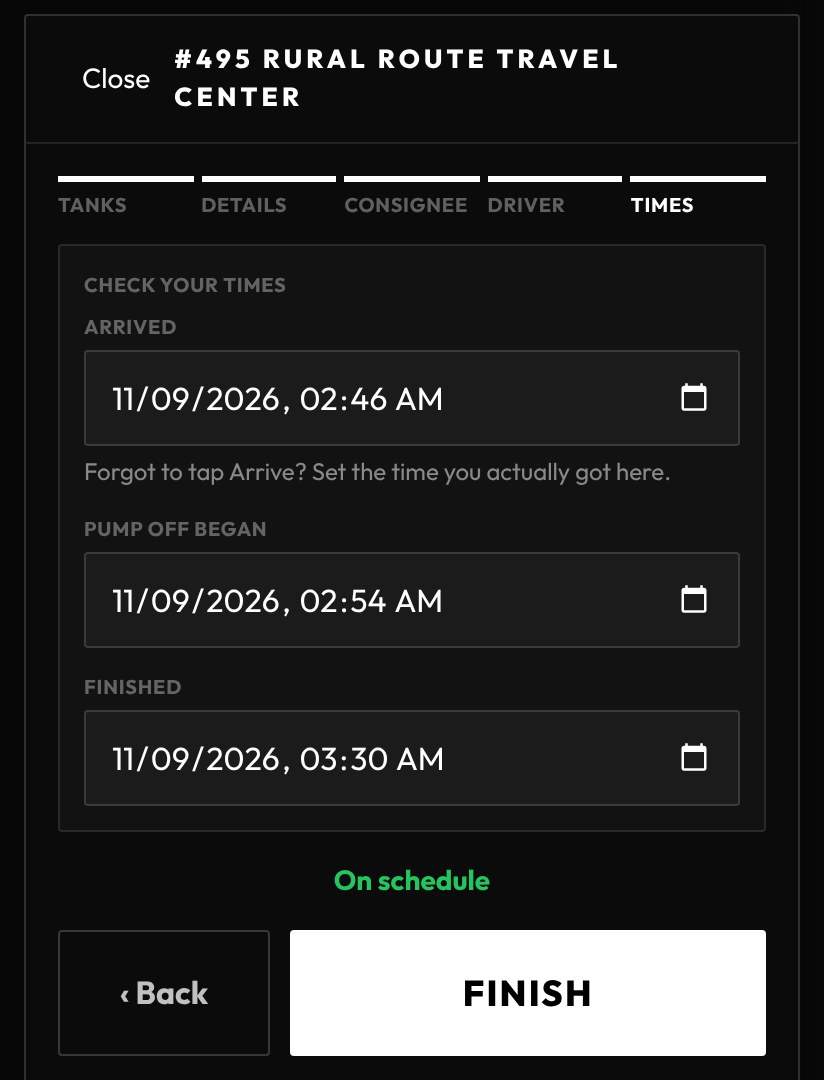
After the tanks, the details are optional taps: tank readings, bio blend, additives and issues. Then the signature and your finish time, and the whole drop lands on the Product Transfer Document. Sample delivery shown.
Sign-off
Signatures and times, checked for you.
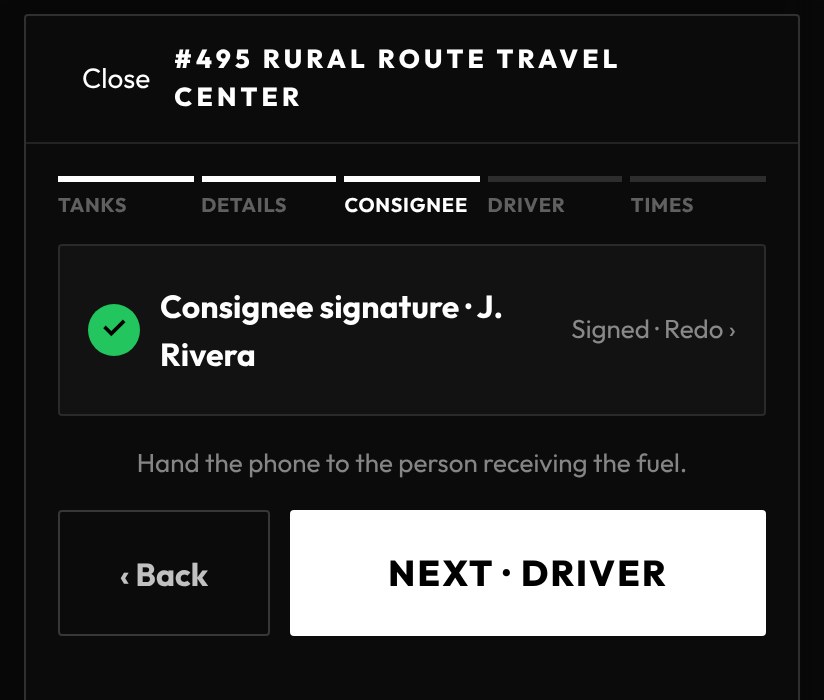
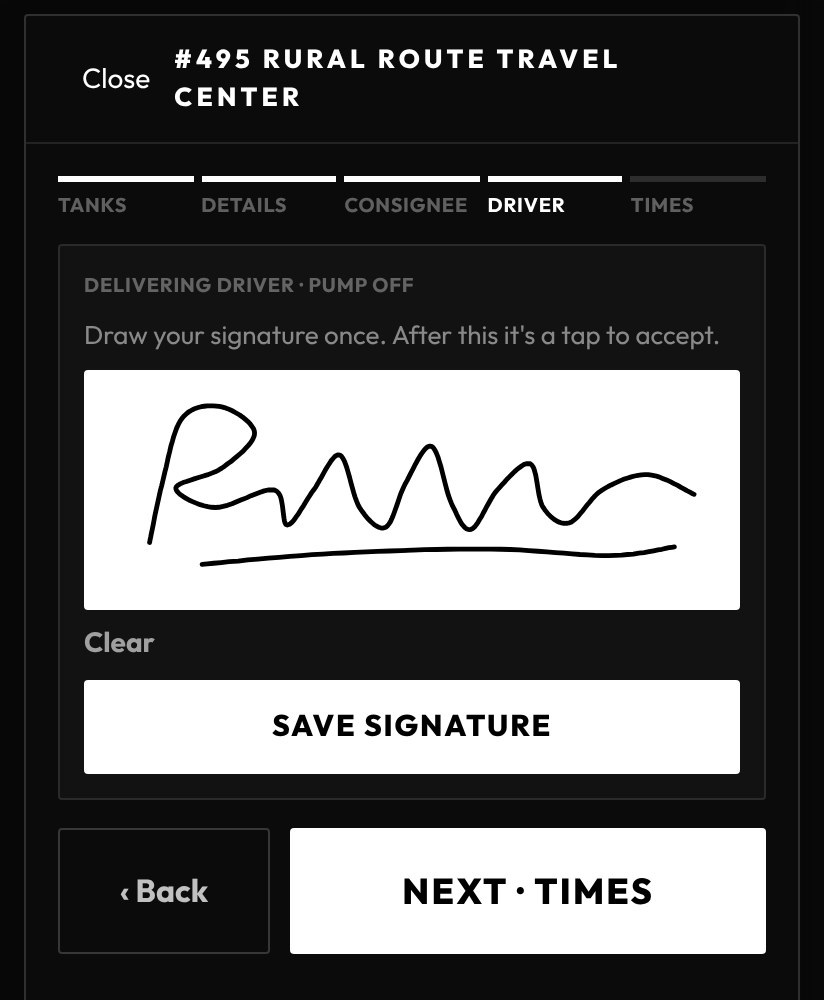
The store signs on your phone, you sign once and accept with a tap after that, and ProTankr checks your times against how long the drop should take. On schedule is one tap. If it ran long, it asks for the reason while it is fresh. Sample delivery shown.
Step one: the load plan
Configure your preferred layout. Tap load.
Set up your compartment sequence once, and ProTankr handles the density math from there. Pick your terminal, saved plan, product and today's conditions, and calculate a practical legal load plan before you ever pull up to the rack.
It doesn't replace your judgment at the rack — it gives you a real number to check it against, instead of the same memorized guess every time.
Try it below — pick a terminal, choose products per compartment, drag the caps, slide the CG, and Save Plan.
Live interactive demo
This is the real
ProTankr Planner
Anything you do here is real and shared with other visitors — a good place to experiment, not to store anything you need to keep.
Terminal access
Know where you're ready to work.
Track every terminal card you carry, its current status, and when it expires. ProTankr flags what's expiring before it becomes a problem at the gate, and your card status can be shared with dispatch or your company the moment it matters.
Equipment records
Your equipment remembers everything.
Truck and trailer combinations, tare weight, compartment configuration, service records, credentials and permits — all of it stays with the equipment and the workflow, not buried in someone's memory or a notebook in the door pocket.
Shared knowledge
Shared knowledge becomes infrastructure.
The first driver who discovers a terminal issue, or verifies a corrected tare or temperature reading, shouldn't be the only one who benefits from it. ProTankr keeps that knowledge with the equipment and the terminal, not the individual. Most of the time, capturing it takes nothing more than two numbers.
Marathon — Tampa, FL. Terminal Out of Premium 93, marked out at 08:14 hrs. Visible to every driver headed there, any company.
Global South — Fort Lauderdale, FL. OOA ULSD Diesel #2, marked out at 09:40 hrs. Shared with your dispatch and teammates.
Ready when you are
Enter it once. Be done.
Free to try, no long setup. Bring your own truck and trailer, or join a fleet already running ProTankr.